By Yuvraj Nimankar | Updated 14 October 2026
We are not connected to AICTE, the National Internship Portal or the Ministry of Education.
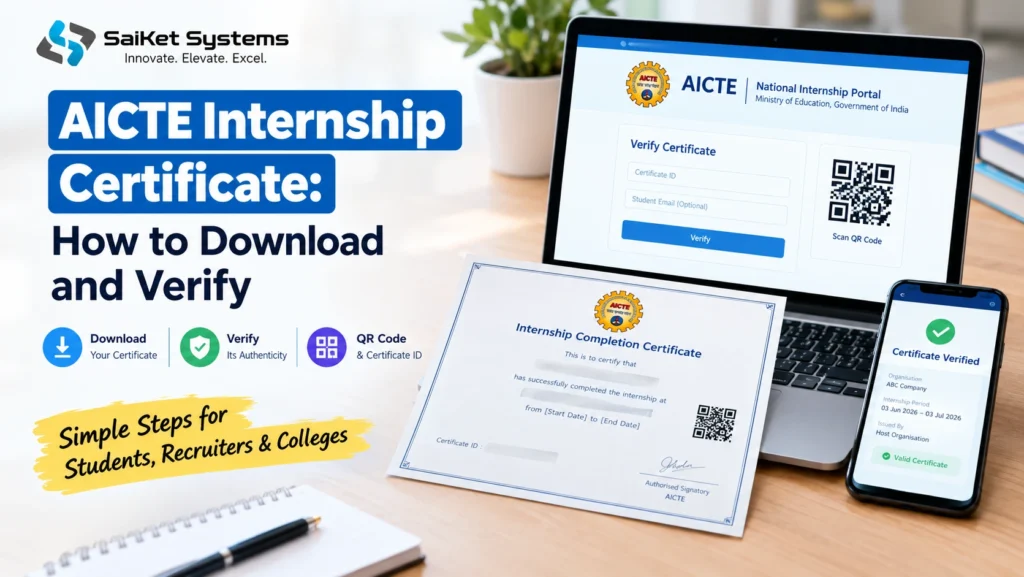
This guide covers the AICTE Internship Certificate issued through AICTE’s National Internship Portal, and it does two jobs. It shows how to get your certificate file, and how you, a recruiter or a college can check that an AICTE Internship Certificate is genuine. The portal says the host organisation issues the certificate once it marks your internship complete, so a missing download usually means a step on their side, not yours. Verification is public and needs no login.
What we checked, and what we could not
Verification: tested on 14 October 2026. We opened the portal’s verification page and confirmed it works without an account. Download: not tested. The download sits behind a student login, and we did not log in. The steps below come from the portal’s own statements plus third-party guides, and we label which is which.
Quick overview
| Item | Detail |
| Issued by | The host organisation, once your internship is marked complete (per the portal) |
| Certificate carries | A QR code that opens the portal’s verification page |
| What the portal says verification shows | Issuing ministry, organisation and the exact internship period |
| Verification inputs | Certificate ID or QR scan, plus an optional student email |
| Verification cost and login | Free, with no login |
| Cost to the student | ₹0 for the completion certificate, per the portal |
| Credits | Approved for the Academic Bank of Credits, deposited against your ABC ID |
| Verification page | https://internship.aicte-india.org/certificates/verify |
| Helpline | 011-29581423 (Mon to Fri, 9 am to 6 pm IST) and 07314624949; email internship@aicte-india.org |
The key fact in this table is the first row. Your certificate depends on someone else marking your internship complete.
What the certificate shows, and what it does not
According to the portal, a certificate verified through its page shows the issuing ministry, the organisation and the exact period of the internship. That makes it good evidence that you interned somewhere, with that organisation, for those dates.
It does not show how well you performed, which skills you gained, or whether you were paid. It is also separate from academic credits. The portal says completed internships are approved for the Academic Bank of Credits, but whether your college counts those credits toward your degree is the college’s decision. Ask your training and placement officer before planning around it.
How to download your certificate
You need an account first. If you do not have one, our [portal registration guide: add link] covers it. For the download itself, the portal does not publish a step-by-step page on the pages we read. Third-party guides describe this path, which you should treat as likely but unconfirmed:
- Type internship.aicte-india.org into your browser and log in as a student.
- Open your dashboard or your list of internships.
- Find the internship marked completed.
- Select the download option and save the PDF.
Menu names may differ from what guides describe, because the portal has changed over time. Save the file as soon as it appears, and keep a second copy somewhere other than your phone.
If the download option does not appear
The certificate is issued by the host organisation, so the usual blockers sit outside your control. Work through them in this order:
| Likely cause | Who controls it | What to do |
| The internship is not marked complete | The host organisation or your mentor there | Email your mentor, give the internship title and dates, and ask them to mark it complete |
| The internship period has not ended | Nobody; it is a timing matter | Check the end date on your posting |
| Your profile or availability was not validated | Your college or training and placement officer | Ask them to check the validation status |
| You are logged into a different account | You | Check which email you registered with |
| None of the above applies | AICTE support | Write to internship@aicte-india.org with your registered email and the internship name |
Support says it replies to emails within 48 hours. Keep your emails to the host organisation, because they are your record if a dispute ever arises.
How to verify a certificate
Anyone can do this, whether you are checking your own certificate or reviewing a candidate’s.
- Open the verification page. Type the address yourself: internship.aicte-india.org/certificates/verify. Alternatively, scan the QR code on the certificate.
- Check the address bar. If you scanned a QR code, confirm that the page opens on internship.aicte-india.org. A forged certificate can carry a QR code that leads to a lookalike page.
- Enter the Certificate ID printed on the certificate, unless the QR scan already filled it in.
- Add the student’s email if you have it. The email is optional. When you add it, the portal checks that the certificate belongs to that student and shows a result only when the two match. It never displays the full address.
- Compare the result with the paper or PDF. The organisation and the period should match what the certificate says.
For recruiters and colleges, the email step is the strongest check. A genuine certificate ID shown to a candidate proves little on its own, but a match against the email they used to register is harder to fake.
Reading the result
| What the certificate says | What the portal result should show |
| Organisation name | The same organisation |
| Start and end dates | The same exact period |
| Certificate ID | A record found under that ID |
| Student email, if you added it | A match; a mismatch means no result is shown |
If anything differs, even a small date difference, ask the candidate to explain and to share the host organisation’s contact. A mismatch is not proof of fraud, since a typo or a reissued certificate can cause it, but it needs an answer.
Certificates that look similar but are not from this portal
Many private organisations issue their own internship certificates, and some use phrases such as “AICTE Approved” on them. We saw a sample online from a private company that included its own verification link. Such a certificate may be legitimate for that company’s internship, but it is not an AICTE portal certificate unless it verifies on the portal itself.
Warning signs:
- The QR code or verification link points to a domain other than internship.aicte-india.org.
- The only AICTE connection is a line of text saying “approved” or “recognised.”
- The provider charged you for the certificate and says AICTE requires the fee. The portal states that its completion certificate costs students nothing.
- The certificate number returns no result on the portal’s verification page.
None of these automatically make a certificate worthless, but they mean the AICTE portal is not what backs it. Ask the provider for the approval reference in writing and check it on AICTE’s own website.
Other AICTE-linked platforms
Guides we read report that some AICTE-linked virtual internships, such as those run with EduSkills, use their own platforms and certificate pages. We did not verify those sites. If your internship came through such a program, use that program’s own site to download and verify, and do not expect the National Internship Portal to show it.
Using the certificate well
- On a resume, write the organisation, the exact dates and what you did, and add the certificate ID so a reader can check it. For example: “Data entry intern, [organisation], 3 June to 3 July 2026. Certificate ID on request.”
- On LinkedIn, add the certificate under licences and certifications, with the verification address in the description.
- For academic credits, give your training and placement officer your certificate and your ABC or APAAR ID, and ask what your institute needs.
- For interviews, be ready to describe one task you completed. A recruiter who verifies the certificate will next ask what you actually did.
Common mistakes
- Waiting until the last day. Ask your host organisation to mark the internship complete as soon as it ends, since nothing generates automatically on your side.
- Saving the file only on a phone. Keep a second copy.
- Editing the PDF. Changing a name, date or organisation will make verification fail, and it can end an application.
- Sharing the certificate ID publicly with your email. The verification check is only useful if the pair is not widely posted.
- Trusting a QR code without checking the address. Always confirm the domain after scanning.
Is it worth the effort?
Yes, in a modest way. A verifiable certificate saves a recruiter time and protects you from doubt, which helps if you have little other proof of experience. It will not make up for a thin portfolio, so pair it with a short description of your actual work.
The limits are practical. Your certificate depends on the host organisation acting, and the portal does not publish how long that takes. Credits depend on your college’s policy.
FAQs
Is the certificate free? The portal says the completion certificate costs students ₹0.
Does verification need a login? No. The portal says it is free and needs no login.
What if the verification page finds no record? Recheck the ID for typos, then ask the issuer for a reissued certificate or contact internship@aicte-india.org.
Can I verify without the student’s email? Yes, the email is optional. Adding it gives a stronger check.
Who issues the certificate? The host organisation, once it marks the internship complete.
Can I get a certificate for an internship I did not finish? The portal does not say. Ask your host organisation and support.
Does the certificate give me academic credits? The portal says credits go to your ABC account, but your college decides how it counts them.
Official links
- Verify a certificate: https://internship.aicte-india.org/certificates/verify
- Portal home: https://internship.aicte-india.org/
- About the portal: https://internship.aicte-india.org/about
- Support: internship@aicte-india.org
Last checked 14 October 2026, when we opened the verification page. We update this post when the portal changes its certificate process.